




Temporary issue viewing the Investments section in the CareSuper mobile app
12 August, 2026
We're aware of an issue affecting the Investments section in the mobile app and are working to resolve it as quickly as possible.
If you're using the app, you can continue to access the Investments section by following the steps below. Or, you can access the Investments section through Member Online on your desktop.
Accessing the Investments section via the mobile app:
- Log in to the app.
- From the home screen, select More in the bottom right-hand corner.
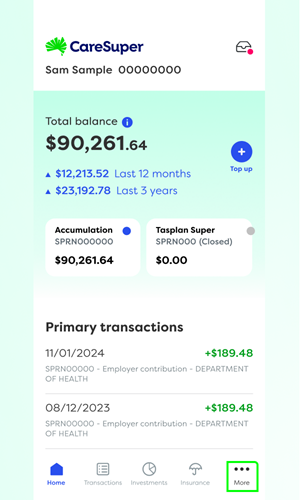
- Select Investments from the menu.
You can then view your investment information and make transactions as normal.
We apologise for the inconvenience and appreciate your patience while we work to resolve the issue.